Overview
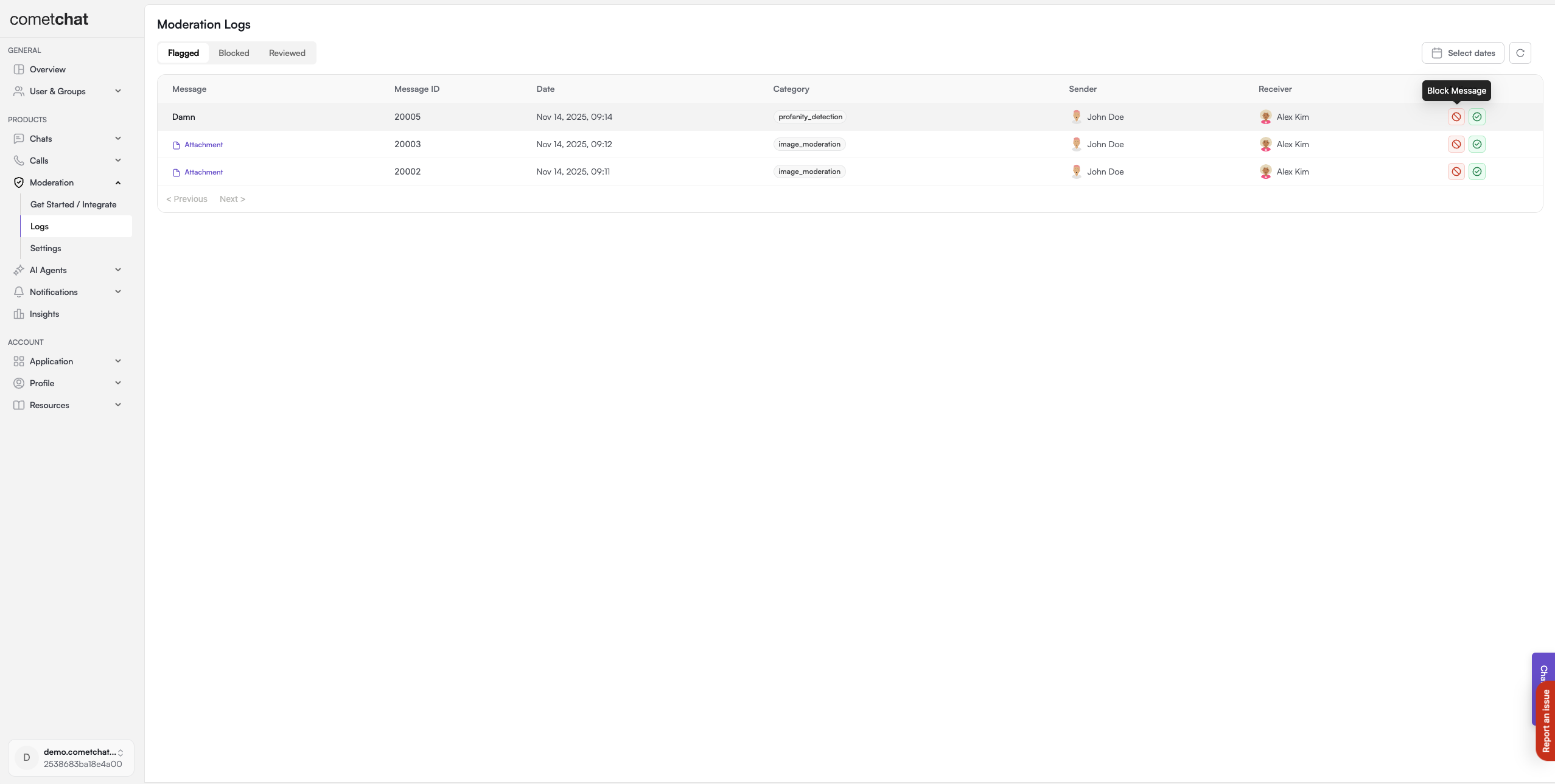
The Flagged Messages endpoint in the Moderation Service API enables app owners and collaborators to review messages that have been flagged for potentially violating moderation rules. Messages can be flagged automatically by the rule engine based on predefined rules, or manually by end users who find certain content inappropriate or concerning. When a message is flagged, it becomes visible in the CometChat Dashboard under the flagged messages section. Moderators can then review these flagged messages and take one of two actions:- Approve - The message is deemed acceptable and the moderation status remains approved
- Block - The message violates platform policies and the moderation status is changed to disapproved
Manual Flagging by End Users
End users can manually flag messages they find inappropriate or concerning by selecting from a predefined list of reasons. These flag reasons are configurable through the CometChat Dashboard, where you can either use the default options or create custom flagging reasons tailored to your platform’s needs. Once configured, these reasons will appear in the user interface, allowing users to select the most appropriate reason when reporting a message.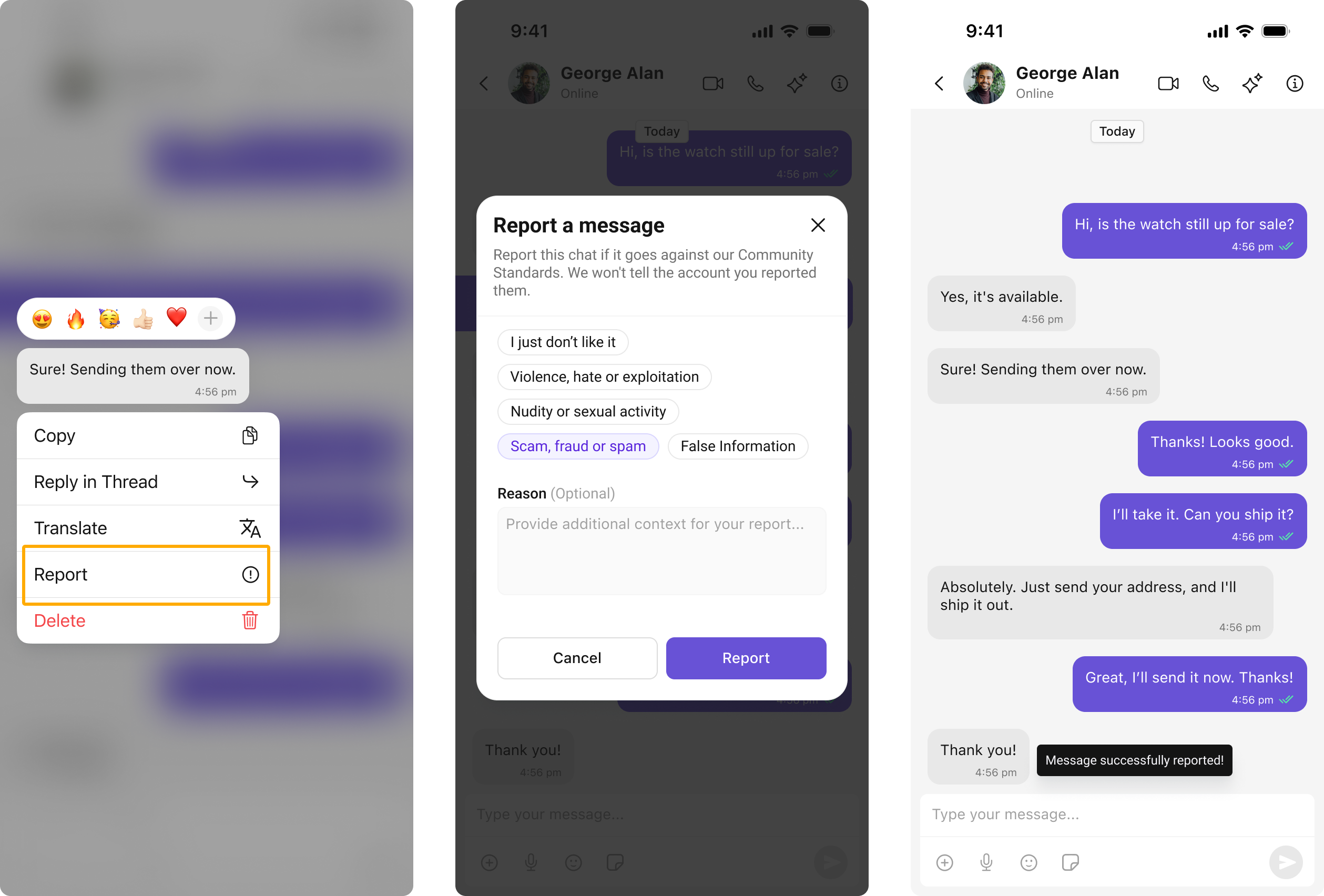
Automatic Flagging by Rule Engine
Messages can be automatically flagged when they violate predefined moderation rules. When setting up moderation rules in the Dashboard, you can configure the action to “flag” messages that match specific criteria. This ensures that potentially problematic content is automatically identified and queued for review without requiring manual intervention from users. For e.g. if the message contains any profane words, then it would be automatically flagged.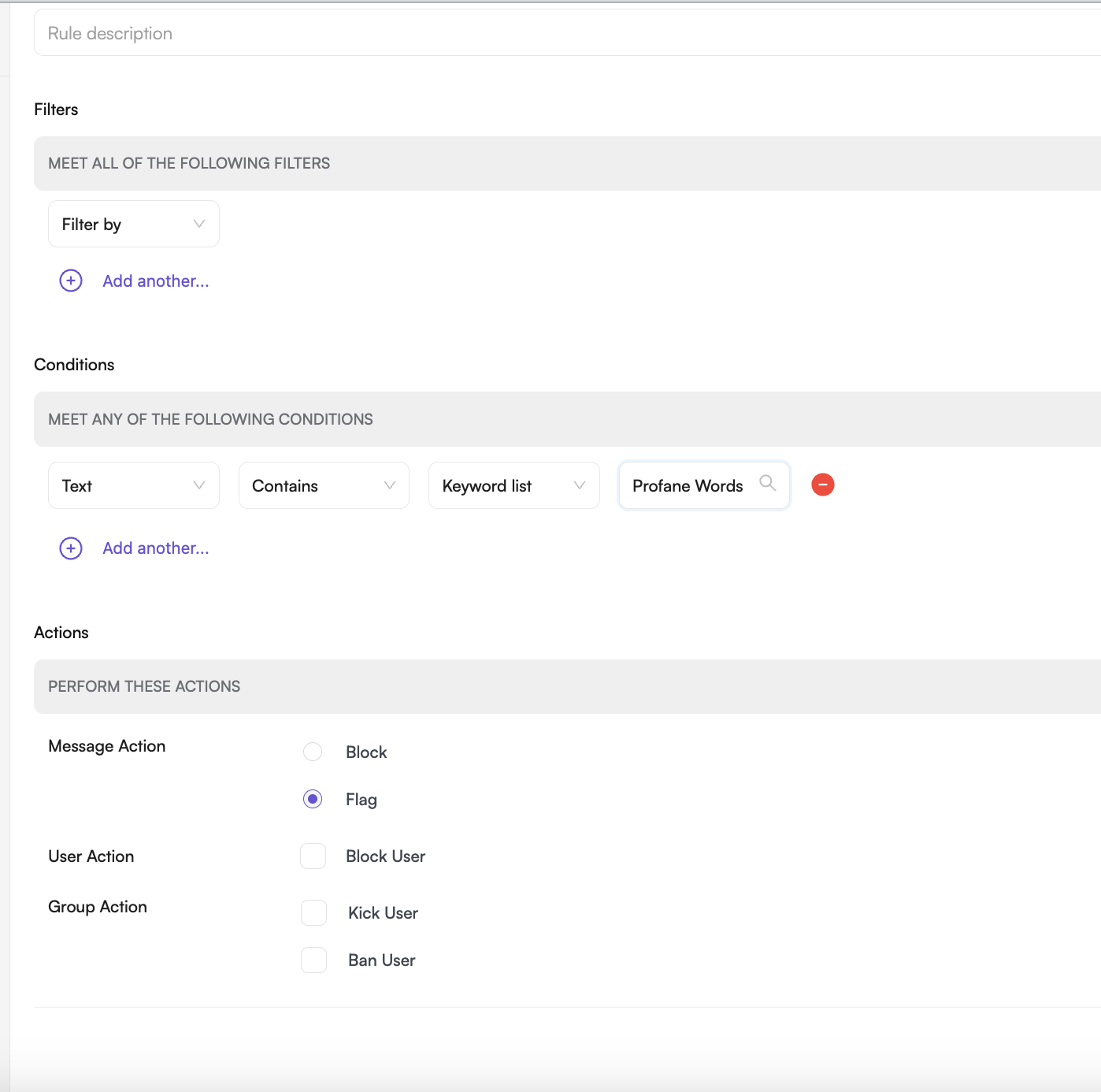
Configuring Flag Reasons
You can customize the flagging reasons available to end users through the CometChat Dashboard. The platform provides a set of default flagging reasons that cover common moderation scenarios, or you can create custom reasons that align with your platform’s specific community guidelines and policies. These configuration options are accessible through the Advanced Settings within the Moderation section of your dashboard.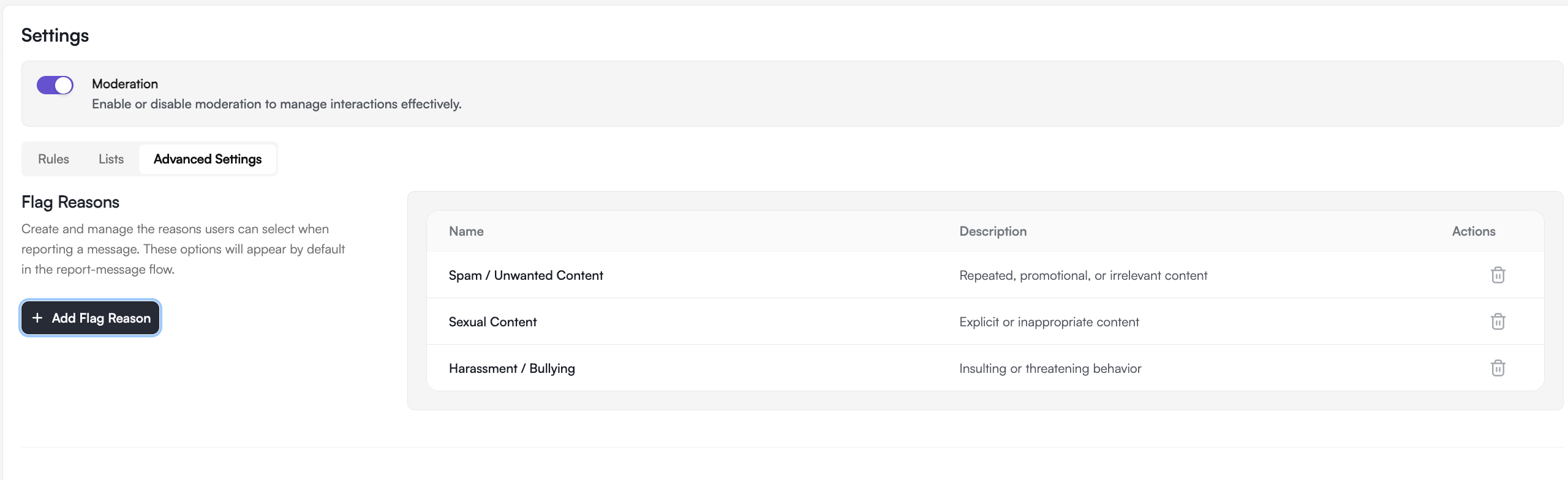
List Flagged Messages
Retrieves the list of messages that have been flagged by the moderation system or manually by moderators.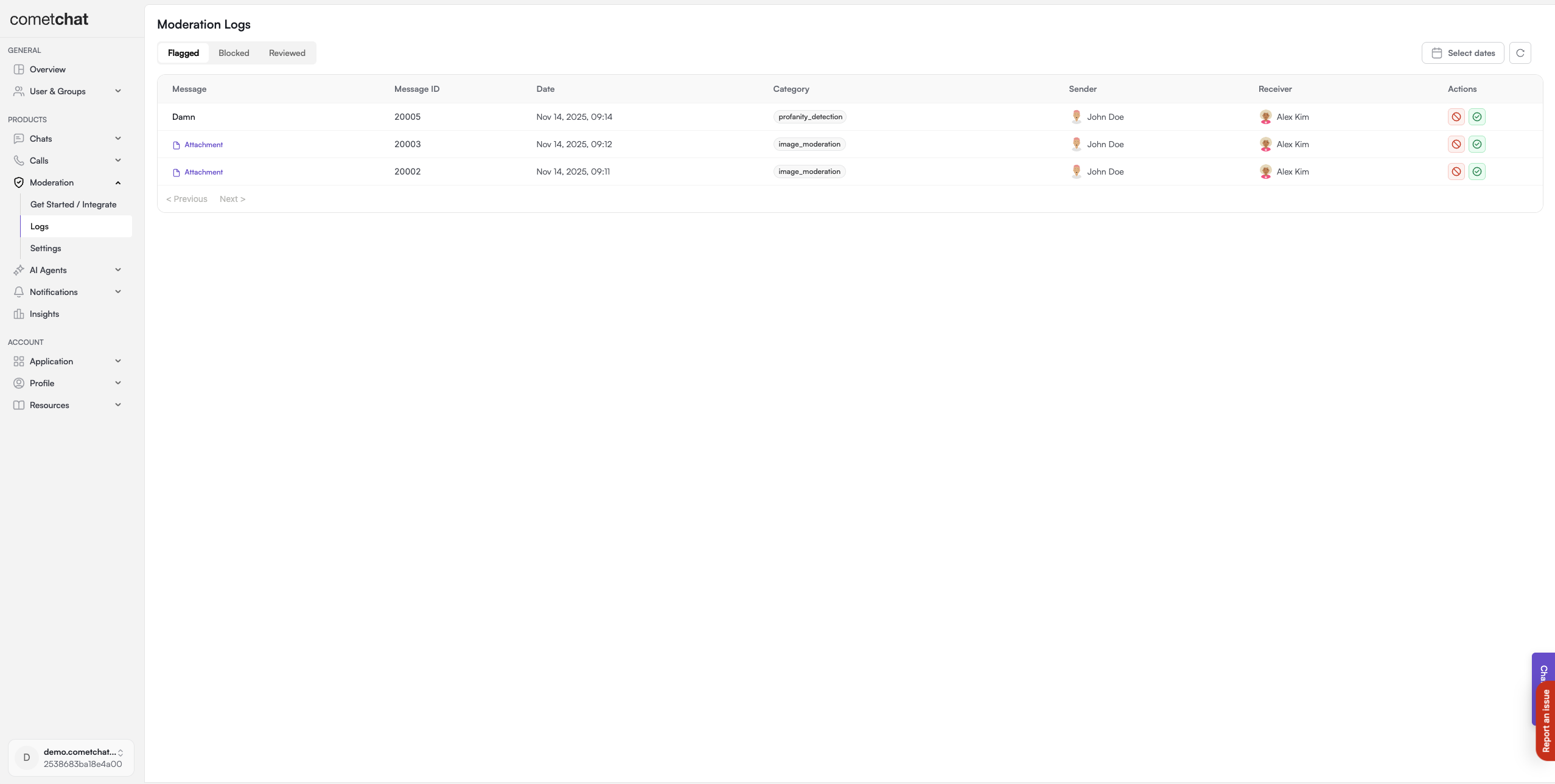
Approve Flagged Message
Allows the approval of messages that were previously flagged. Approving a flagged message indicates that it has been reviewed and is considered acceptable according to platform guidelines.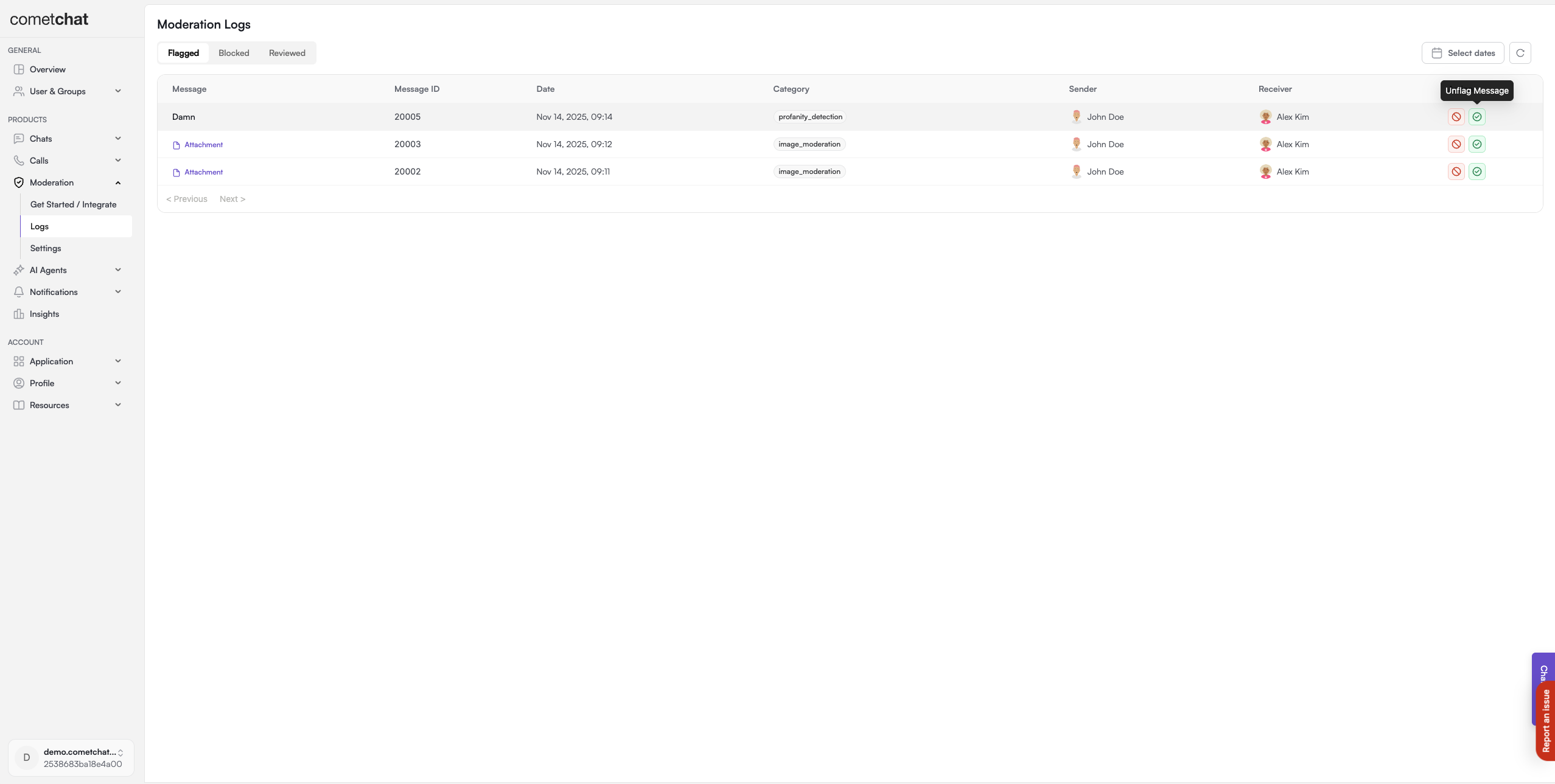
Block Flagged Message
Allows the blocking of messages that were flagged. Blocking a flagged message will automatically mark it as reviewed.